

Write the story of a game in plain text.
- Godot 4.7
- VS Code
- MIT licence
What it is
A scene should read like a screenplay, not like code.
WeaveScript is a small language for the words in a game: dialogue, inner thoughts, flavour text and cutscene staging.
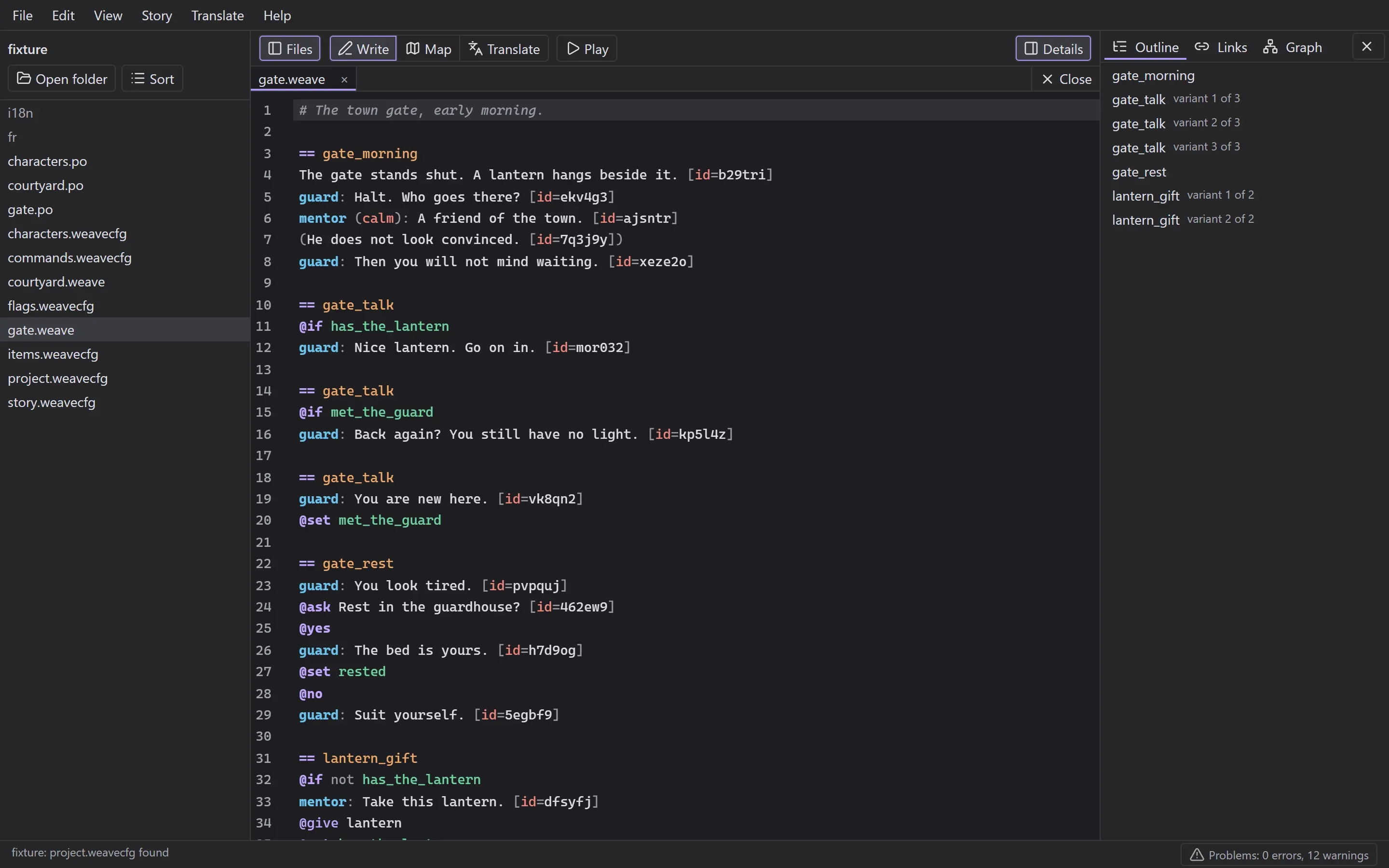
A writer keeps them in plain .weave files. A line with a name and a colon is speech, a line in brackets is an aside, anything else is narration. Choices, flags and stage directions are a word after an @. That is most of the language.
The game loads the files as they are. When something is wrong, it says which file, which line and which rule, and carries on. A typo never takes the game down.
# The town gate, early morning.

== gate_morning
The gate stands shut. A lantern hangs beside it.
guard: Halt. Who goes there?
mentor (calm): A friend of the town.
(He does not look convinced.)
guard: Then you will not mind waiting.

== gate_rest
guard: You look tired.
@ask Rest in the guardhouse?
@yes
guard: The bed is yours.
@set rested
@no
guard: Suit yourself.
How it works
From the first line to the running game, in six steps.
Write it like a script
Type a name and the editor offers the characters you declared, with their display names. Flags, blocks and commands complete the same way, in VS Code or in the WeaveScript editor, so a writer never has to remember how something was spelled.
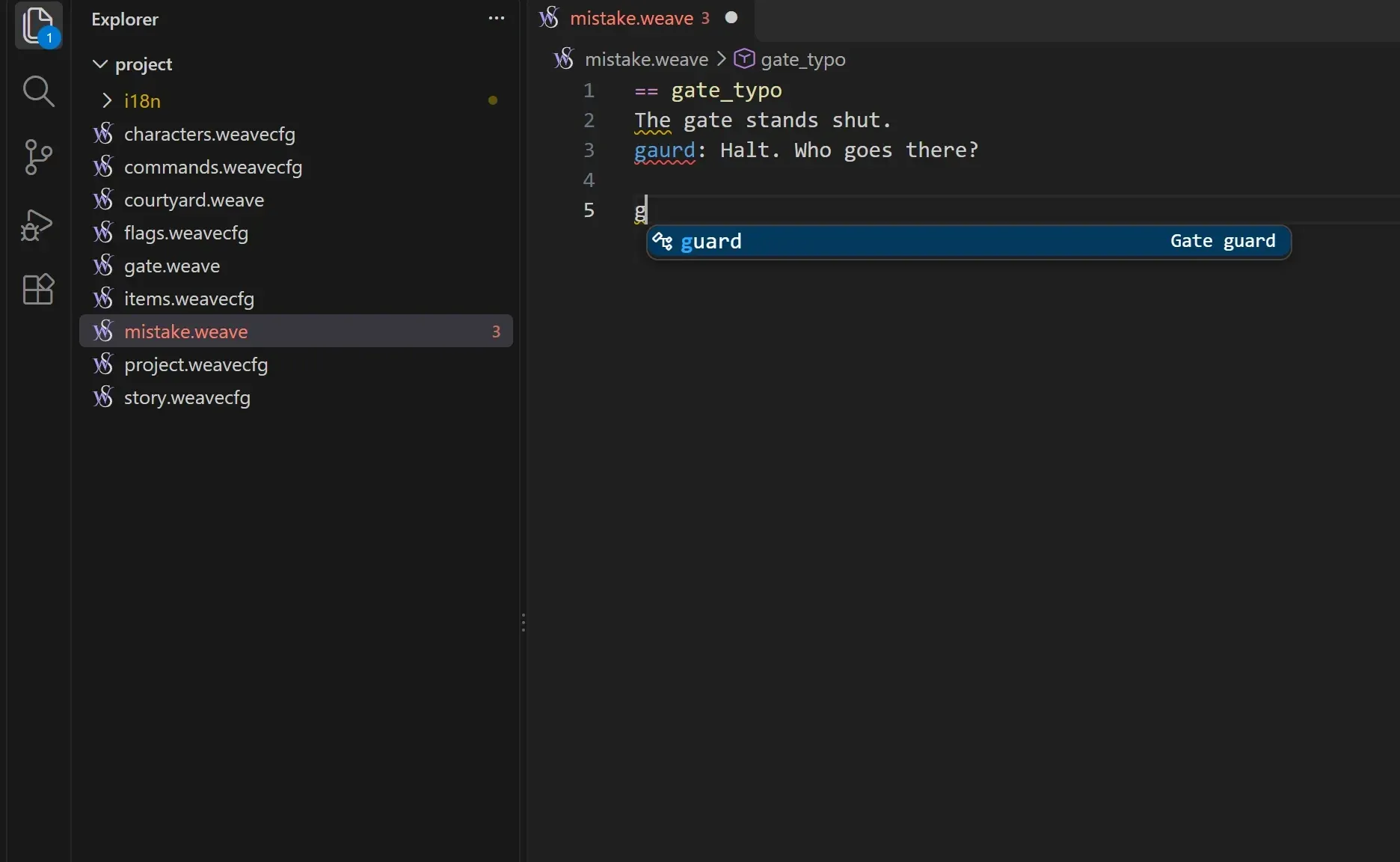
Mistakes get a name, not a crash
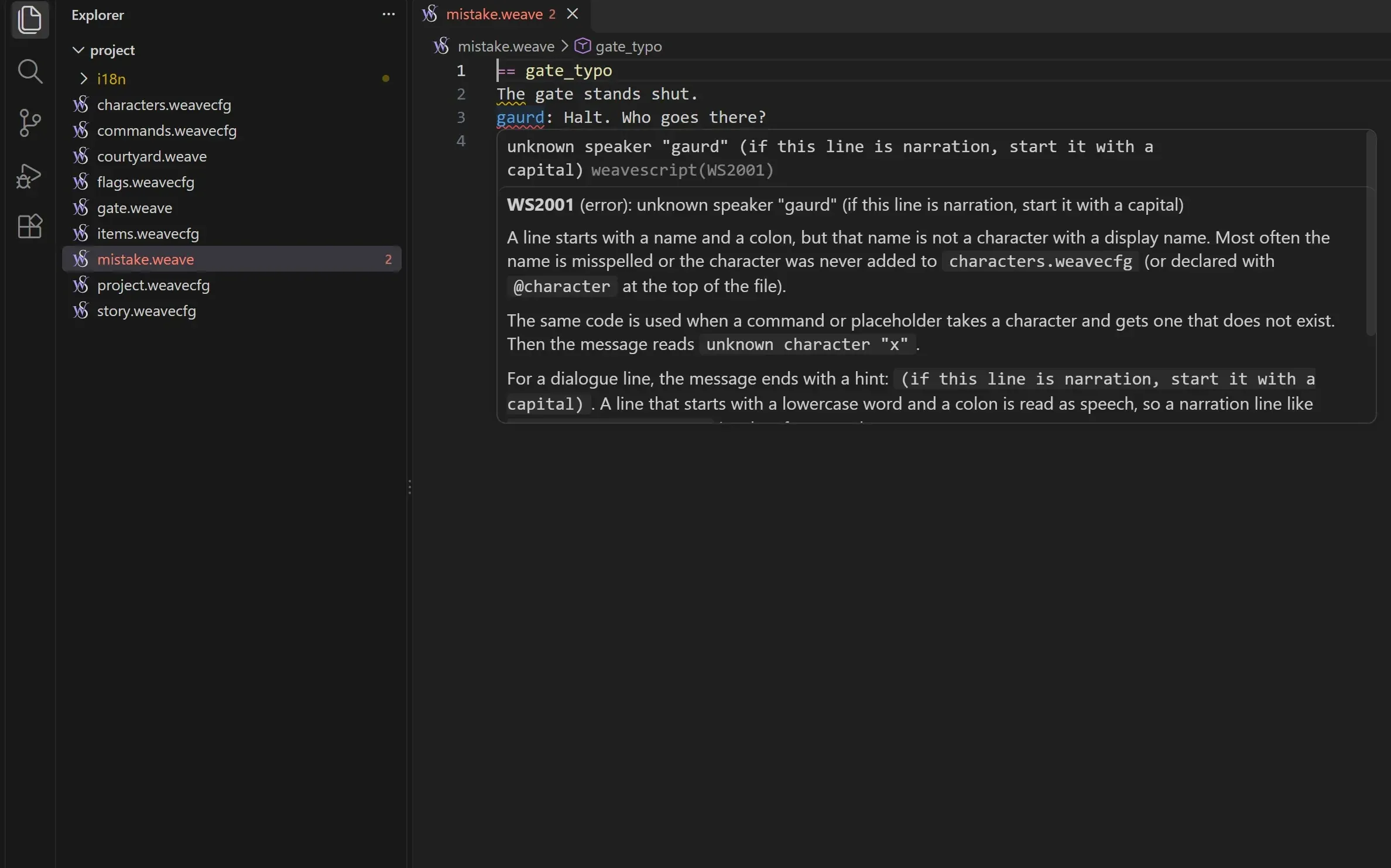
A typo in a speaker's name is underlined as you write. Hover it and the explanation is right there: what went wrong, why, and how to fix it. Every problem has a code, and each of the 67 codes has its own page.
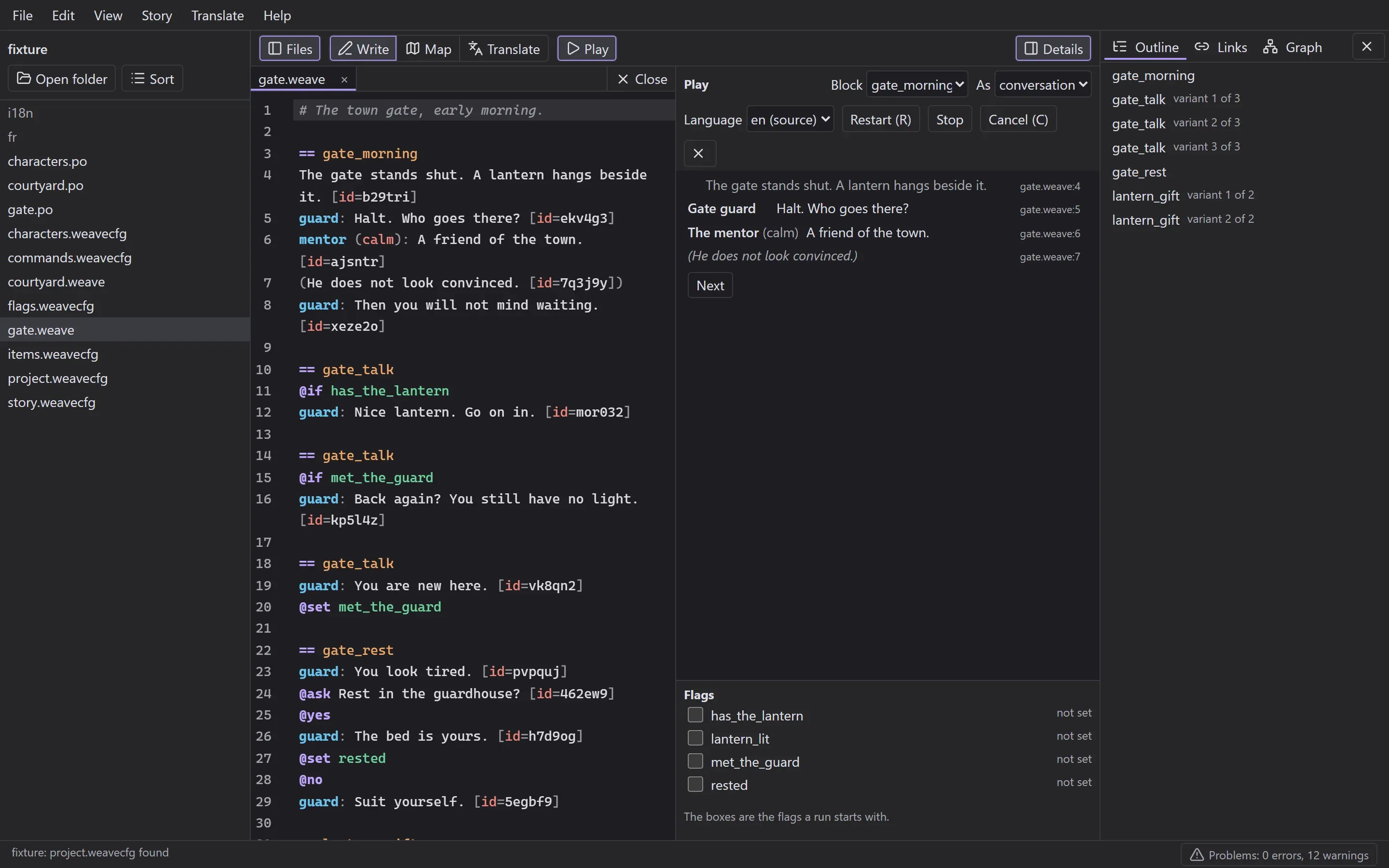
Play a scene without the game
Pick a block and play it beside the text. Lines appear one by one with the file and line they came from, questions wait for an answer, and the flags a run starts with are a row of checkboxes. Edit the scene and restart in a keystroke.
See the whole story at once
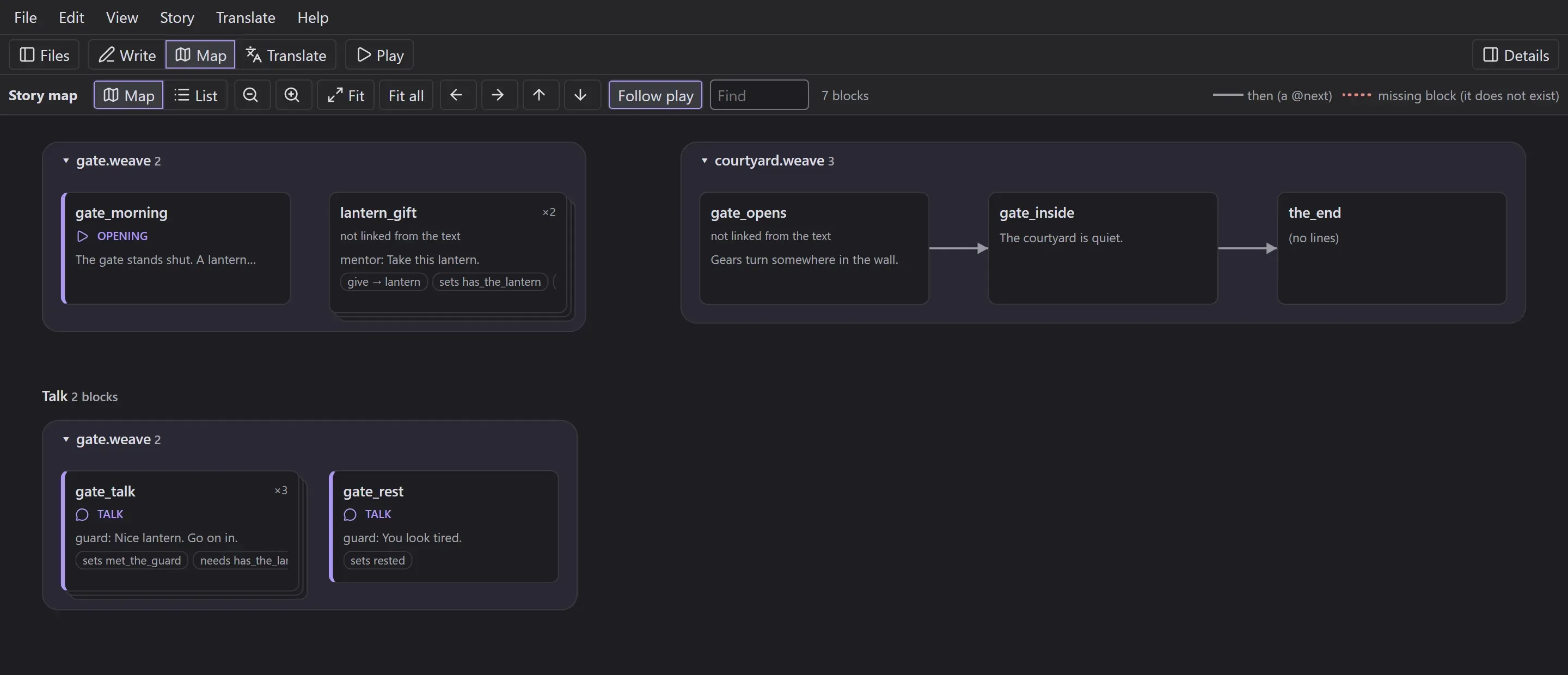
The story map lays every block out in play order, grouped by file and chapter. Arrows show where a scene leads next, a dotted line flags a block that does not exist, and the map follows along while a scene plays.
Translate line by line
Every line gets a short id, so a translation survives edits to the text around it. Translations live in standard PO files, and the editor shows how far each language has got, with checks for lines that are missing or out of date.

Then the game reads it
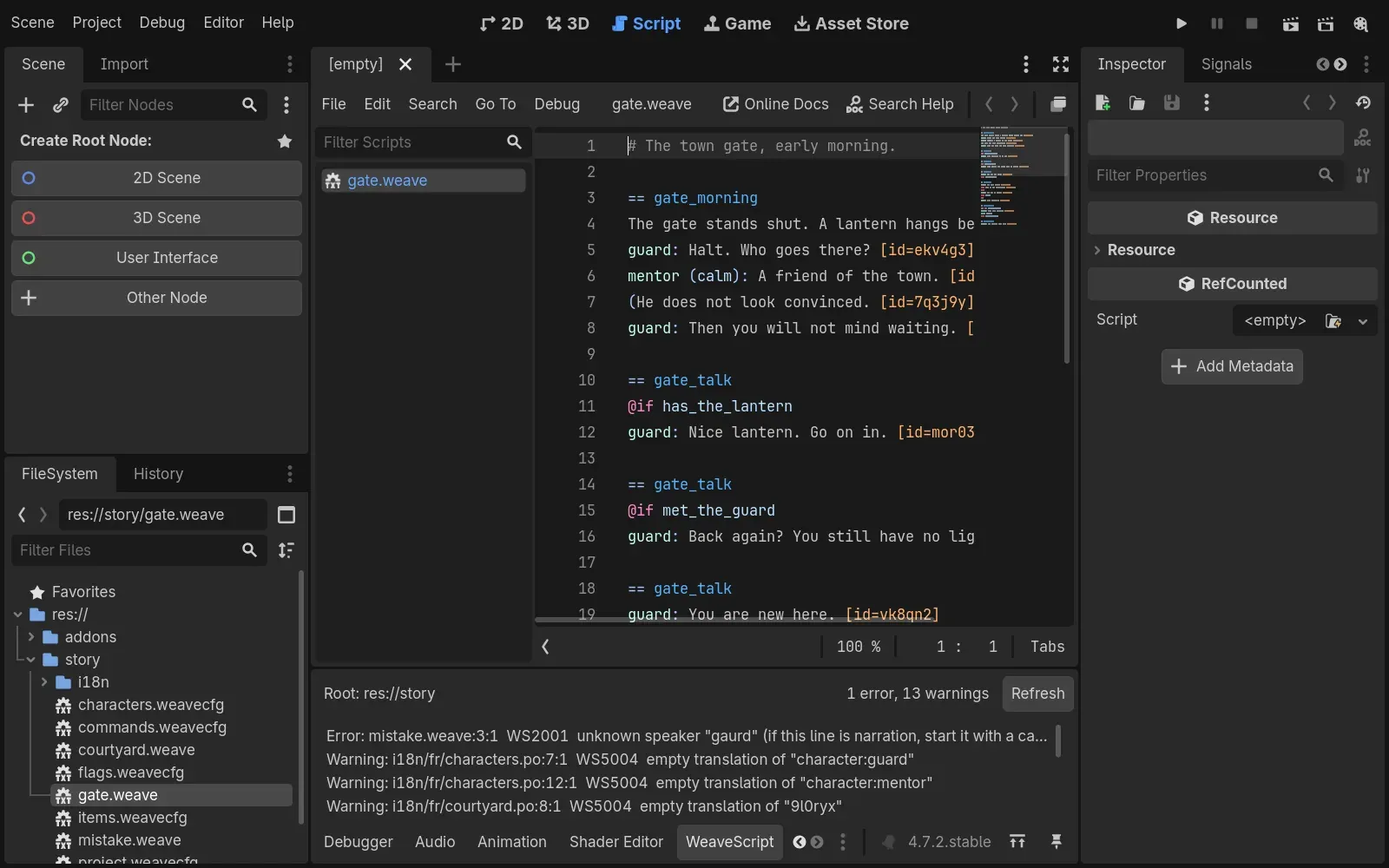
The Godot addon loads the same files at runtime. Inside the Godot editor, .weave files open with their colours and a WeaveScript dock lists every problem in the project with its file, line and code, before anyone presses play.
Under the hood
One spec, every toolThe game and the tools each have their own parser. Instead of hoping they agree, a shared test corpus checks that they do: the same files go in, the same diagnostics and the same played lines have to come out of both.
- shared test cases that both parsers pass
- 900+
- parsers, GDScript and TypeScript, held to one specification
- 2
- diagnostic codes, each with its own page
- 67
- design decisions written down as they were made
- 27
Built with
- TypeScript
- GDScript
- Rust and Tauri
- React
- CodeMirror 6
- Docusaurus
What is in it
Version 0.1.0Godot addon
- Parser, runtime and cutscene runner
- Localisation from PO files, with fallbacks
- An editor dock listing every problem
Desktop editor
- Write, Map, Translate and Play in one window
- Keyboard first, with WCAG 2.2 AA as the bar
- A Windows installer
VS Code and language server
- Diagnostics as you type
- Go to definition, find references, rename
- Hover help linked to each code's page
Command line
- lint and check, with JSON output for CI
- i18n add, sync, check and CSV export
- Exit codes a build can rely on

Why we built it
For the games ahead, and to learn.
WeaveScript is the setup we made for our future projects in Godot, so the story of a game can be written, checked and translated without touching its code.
It was also a training step. Designing a language, writing its specification, building two parsers that agree, an editor, a language server and a release process taught us more than any tutorial would have, on something we will actually use.
We have not decided yet whether we will keep maintaining it in the long term. Either way, it is part of our portfolio, and the work in it is work we stand behind.
Roadmap
Release 0.1.x, November 20260.1.026 October 2026
Done
The first release, tagged internally: the language, both parsers, the Godot addon, the command line, VS Code support and the desktop editor.
0.1.xNovember 2026
Planned
The patched release. Faster on large projects, a screen reader pass on the editor, cleaner release files.
0.2After 0.1.x
Next
Groundwork for going public: a public repository, a signed installer and the documentation site.
LaterNo date
Ideas
An Unreal Engine plugin, and publishing to the Godot Asset Library and the VS Code Marketplace.
The repository is private for now, so there is nothing to download yet. Write to [email protected] if you would like to hear when that changes.
In closing
Write the story. Let the game read it.